My Homelab Setup
Overview
In Summer 2025, I started getting into homelabbing. I started small with an unused laptop, and then wanted to build a full server. It currently helps me share some of my media (e.g., recordings of my games with friends) and AI services (OpenWebUI, ComfyUI) with friends, keeps an up-to-date replica of my Obsidian vault, and hosts many services for household chores (groceries, inventory, finances). The purpose of this blog post is to show my current setup, and share some of the lessons I learned during this journey.
Note: All of my Docker compose files can be found here.
Components
Hardware
Below is a table of the components of my server, all of them bought from Amazon.
| Component | Reference |
|---|---|
| CPU (Processor) | AMD Ryzen 9 7900X |
| GPU (Graphics Card) | ASUS TUF Gaming NVIDIA GeForce RTX 3090 OC Edition |
| Motherboard | GIGABYTE B650 AORUS Elite AX |
| RAM (Memory) | 2x Crucial Pro 64GB DDR5 5600MHz (2x32GB) |
| Storage (SSD) | SAMSUNG 990 PRO SSD 2TB |
| Storage (HDD) | 3x Seagate IronWolf 8TB 7200 RPM |
| Power Supply (PSU) | be quiet! Pure Power 13 M 1000W 80+ Gold |
| CPU Cooler | Thermalright Phantom Spirit 120 EVO |
| Case | Fractal Design Define R5 |
Note: I originally started with a budget NVIDIA 5060 Ti to make sure everything worked before committing to the 3090.
Software
Here is a list of the main software that I use:
- Proxmox VE 9.1.9 is a Debian-based virtualization management platform (KVM VMs + LXC containers) that ships with a web UI. Setting up VMs and LXCs is incredibly easy with it.
- Tailscale: All of my user-facing services are routed through my tailnet for three reasons. It allows me to access everything remotely, to share some of my services to friends/family, and it makes the URLs significantly prettier (thanks to MagicDNS).
- Docker: I’ve gone back and forth a lot between LXCs, VMs, and Docker containers. I ended up doing a little bit of everything. Most isolated services like Mealie or Grocy are fine in an LXC. For “clusters” of services, I run an LXC with Docker, so that I can easily control them with
docker compose. - Pi-Hole provides network-level blocking of ads for my LAN.
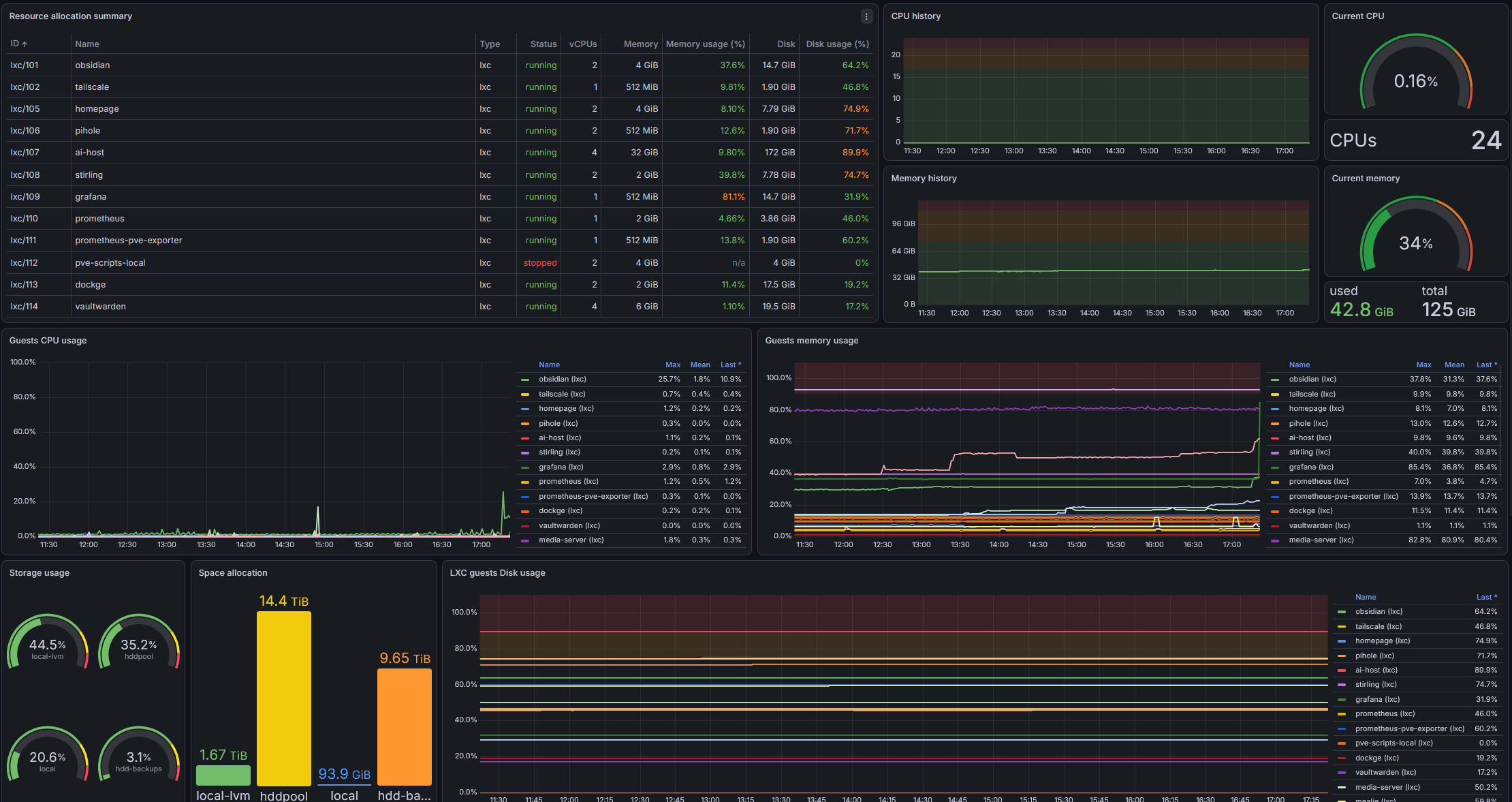
- Grafana allows me to visualize many metrics of my server scraped by Prometheus. One of my dashboard can be seen below.
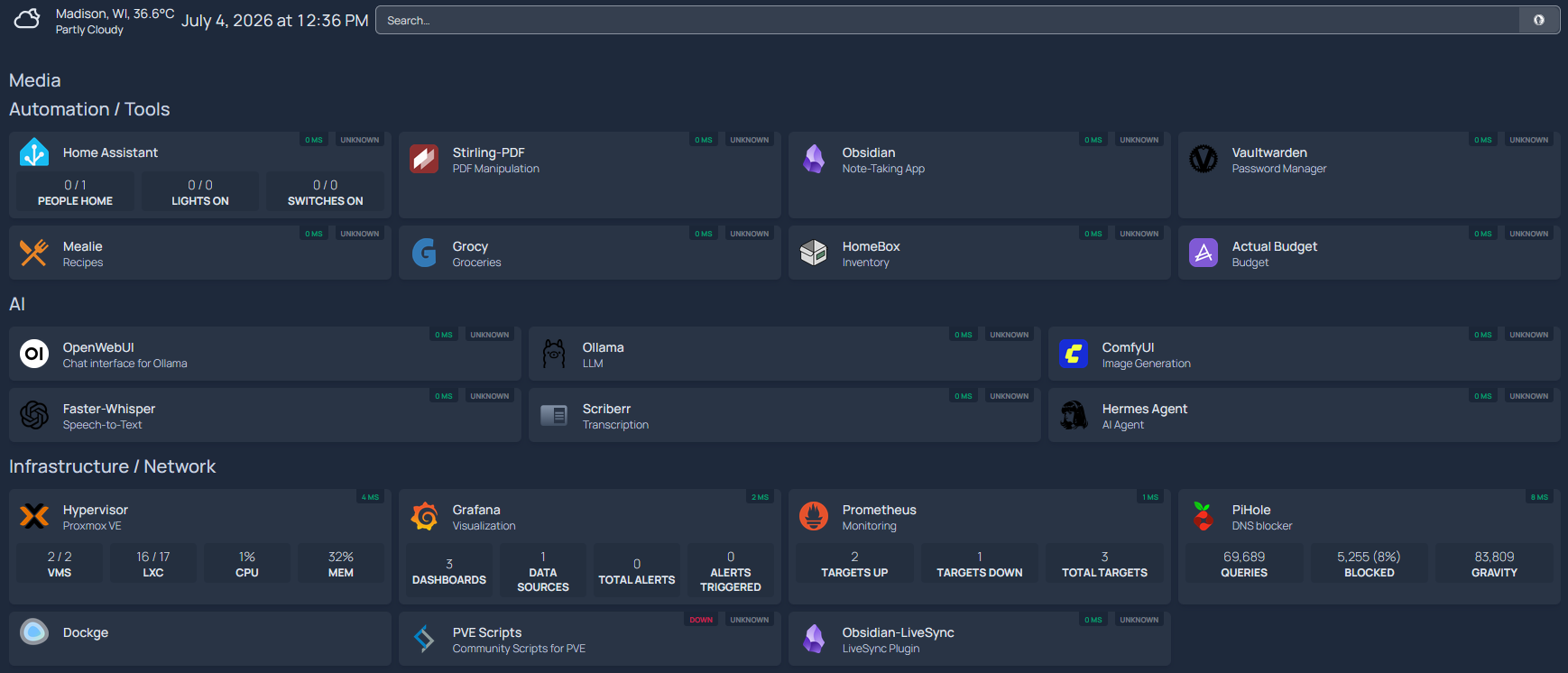
- Finally, I run Homepage for quick access and overview of my services, see dashboard below.
Services
Obsidian
As written in an earlier blog post, I use Obsidian a lot. I used to subscribe to Obsidian Sync to synchronize my notes across devices, but once I started building my server, I wanted something self-hosted. So now I use the “Self-hosted LiveSync” plugin and I have a copy of my vault always synchronized on my server. It uses two containers, one for the underlying database, and one for hosting a WebUI of Obsidian (Docker compose here). Beyond the redundancy, it allows me to use the MCP endpoint of my vault whenever I want (since it’s always online on the tailnet).
Household
I use several isolated services for household-related stuff (each in their own LXC):
- Grocy is a groceries & household management solution, it helps keep track of what’s left in the fridge.
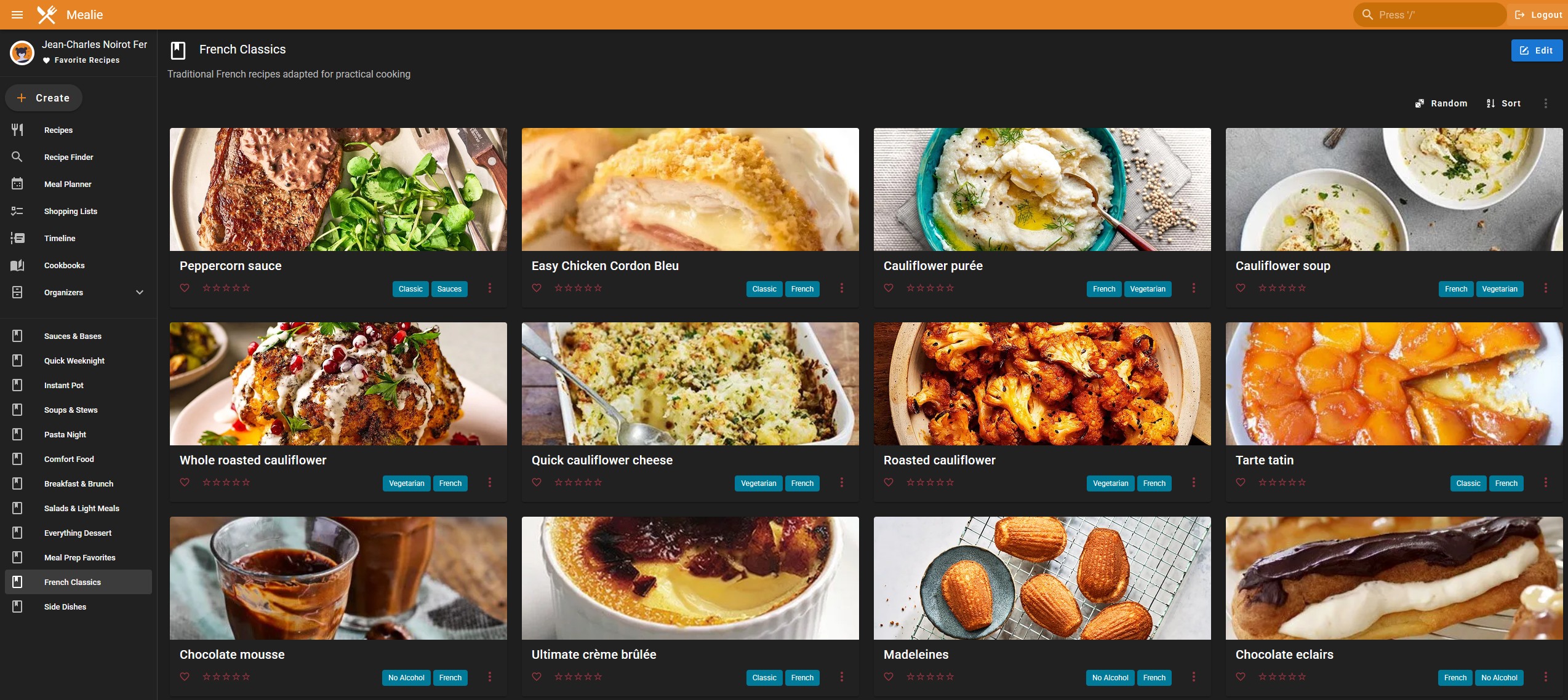
- Mealie is a recipe management app.
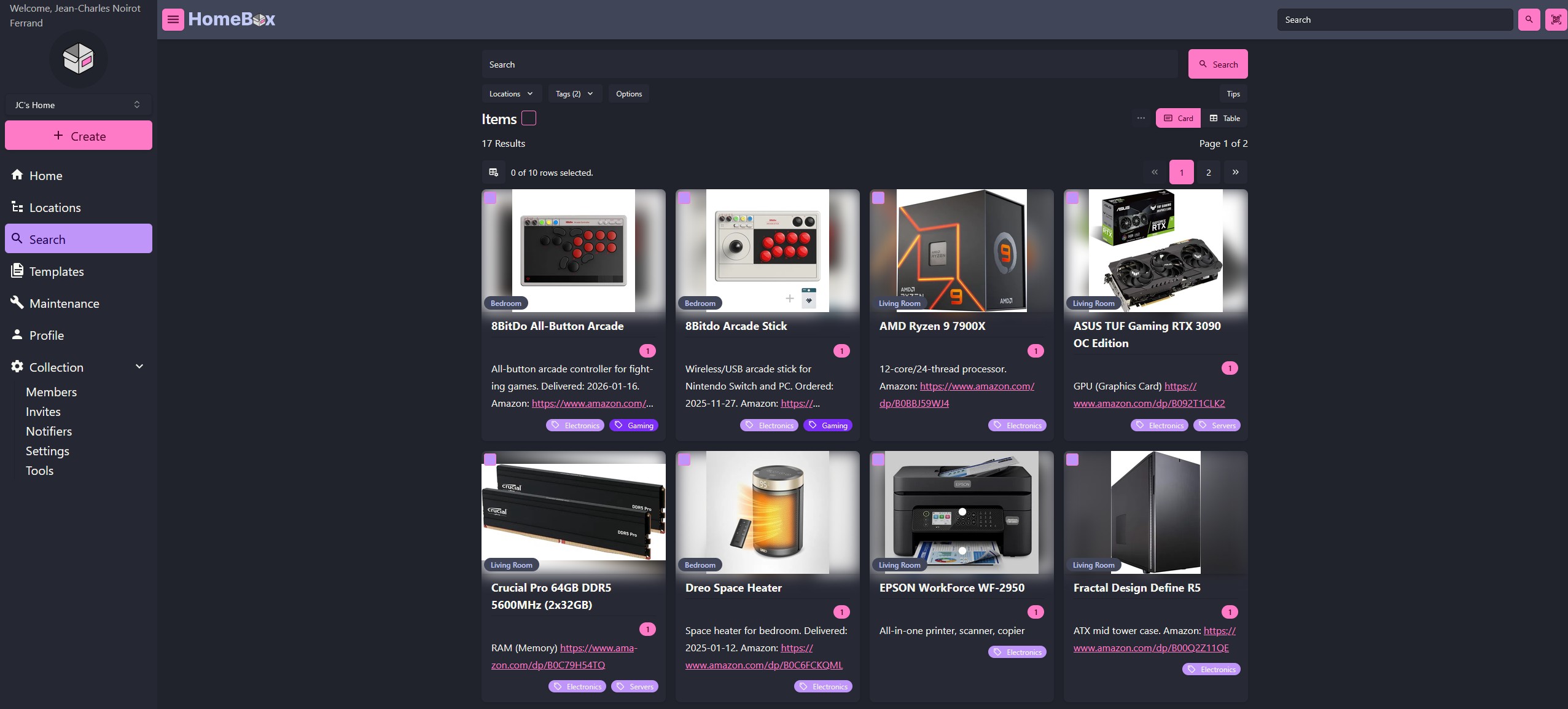
- HomeBox is an inventory management tool that I primarily use to keep track of more expensive things (kitchen appliances, PC parts, etc.).
- Actual Budget is a privacy focused app for managing finances. It helps me keep track of my spending and accounts.
AI Stack
The last part of my stack is the AI-related services. I divided it into three sections: backend services, frontend services powered by the backend services, and the AI agent.
Backend: Ollama (LLM), Whisper (STT), Chatterbox (TTS)
AI nowadays can write, listen, and speak (among other capabilities). While I could simply pay for good proprietary models (honestly, it might be cheaper at this scale), the ecosystem contains many great open-source solutions. To power my AI services, I use those three frameworks:
- Ollama for LLMs. I chose it over vLLM because it is more flexible. vLLM would be better for concurrent request on a fixed model.
- Whisper for speech-to-text.
- Chatterbox-TTS (as a self-hosted server) for text-to-speech (with voice cloning).
The AI models are all on my SSD (for faster load/unload), with the directory mounted directly into the container. I tinkered with Whisper and Chatterbox to set up a proxy to avoid having the models always on GPU, otherwise I wouldn’t be able to load LLMs. Because they come with custom files and cannot be contained in a compose file, only my Ollama compose is available here.
Frontend: Open WebUI, ComfyUI
Beyond the backend, I host three AI services that are user-facing (Compose here):
- Open WebUI: An interface much like ChatGPT to interact with LLMs. Note that there are two sub-services, SearXNG and OpenTerminal, which allow improved search and agentic capabilities (Compose here)
- ComfyUI: A web interface to generate media (image, video, sound) with AI.
- Scriberr: An app that takes recordings and transcribes/summarizes them using my Whisper and Ollama endpoints.
Honestly, I don’t use them so much, but it was good to tinker with and it can be handy sometimes.
Hermes Agent
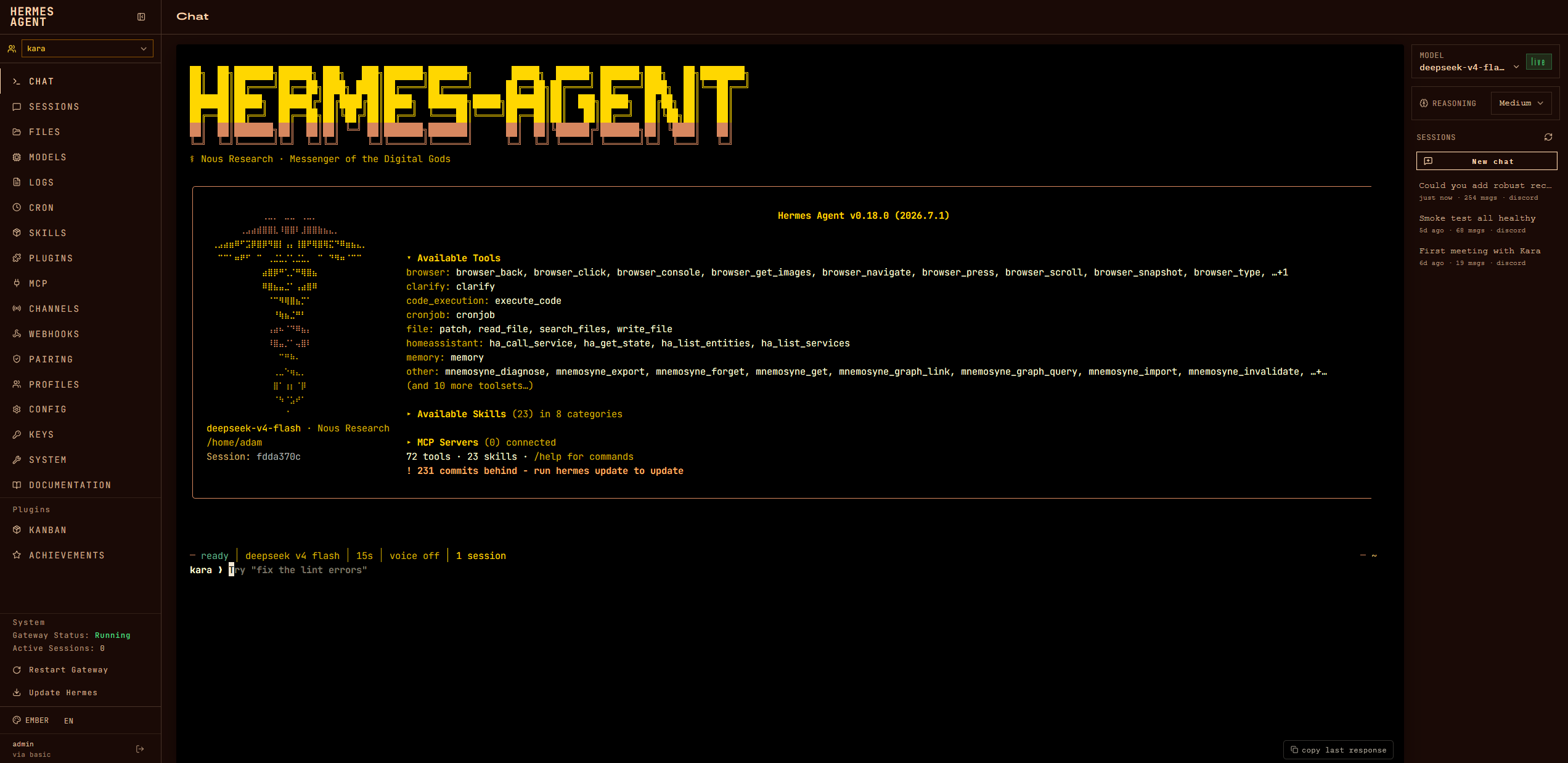
With all the hype around OpenClaw, I got interested in Claw-style projects. I tried many for a bit (OpenClaw, NanoBot, IronClaw, ZeroClaw…) but ended up settling for Hermes Agent. I have a dedicated VM running it.
I currently run three profiles (or agents), all connected to Discord as separate bots:
- Senku: This is my “research” agent. It interacts with my Obsidian vault (research logs, papers, etc.) and does one-off experiments when I ask it to.
- Kara: It has access to all of the household services (Mealie, Grocy, HomeBox, Actual Budget) and can help me plan groceries, prep meals, and track spending. Since AI agents are pretty autonomous, I can just toss a receipt after grocery shopping and have everything ready in Grocy, which saves a lot of time and energy.
- Connor: This one is experimental. Its purpose is more “meta” in that it helps with the server itself (debugging or adding services, among other things). Given the obvious security implications, I’m taking my time with its setup.
The agents all use my Whisper and Chatterbox services. For the underlying LLM, I mainly use OpenRouter, specifically Deepseek v4 Flash because it’s good and cheap (I spend less than 20$/month on OpenRouter credits). I found that the Ollama models with a 3090 weren’t quite that good and fast. My current rationale is that I pay for better models right now so that they can figure out edge cases and build the skills, scripts, and references. Then, a less capable local model can use them consistently.
I use the docker backend (i.e., any tool call is within a Docker container) and I add the Tailscale DNS to it (with the --dns flag). This is fairly overkill since it’s in a VM, but it’s good practice to sandbox the agents.
Fun Fact: The names are taken from one of my favorite games, Detroit: Become Human (Kara and Connor), and an anime that I like, Dr Stone (Senku).
Media
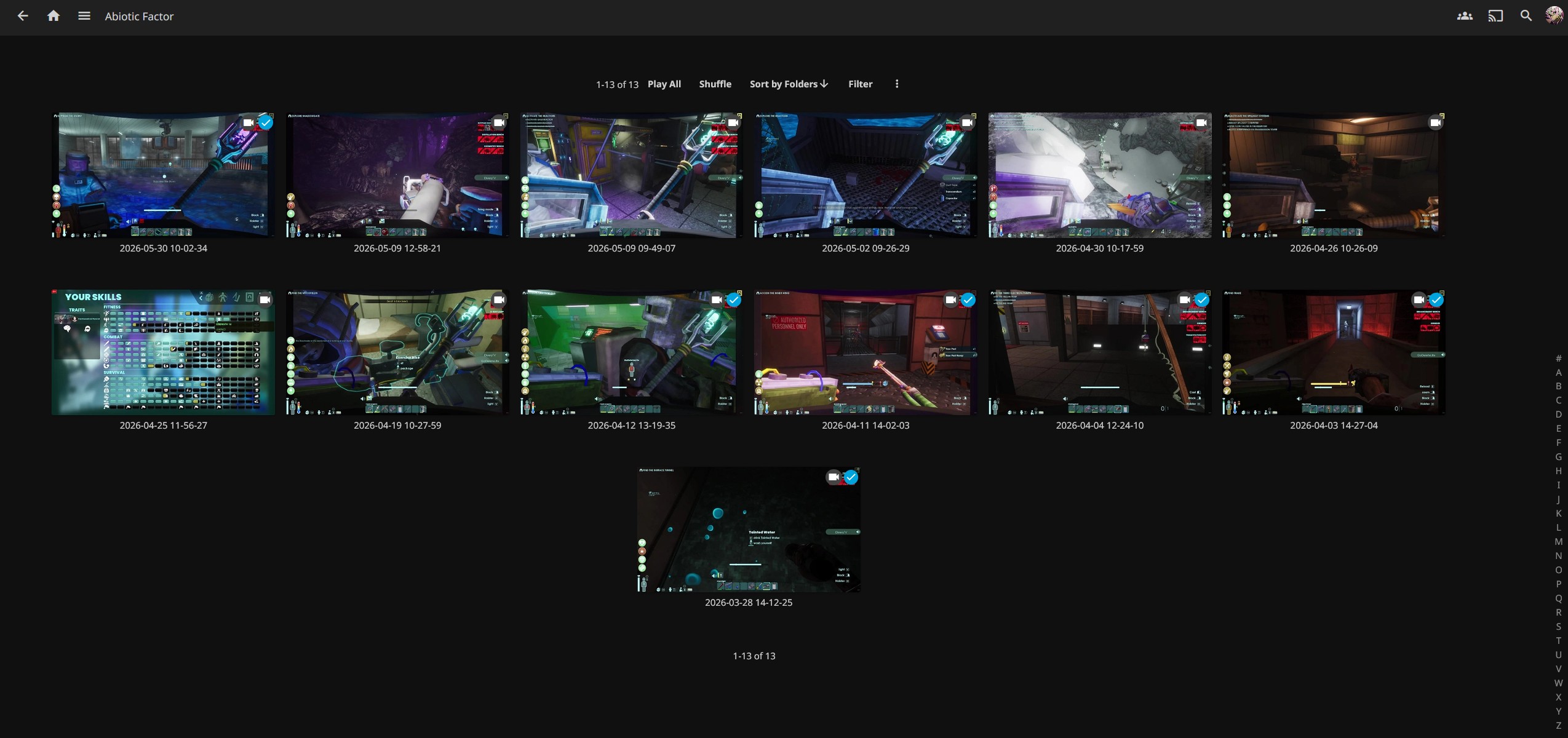
After setting up my server, I started recording and uploading my game sessions to it. I use Jellyfin (and Jellystat for some statistics, full compose here). For example, I recorded all of our game sessions playing Abiotic Factor (see screenshot below). I also vibe-coded a simple “highlight” container that takes the recordings and generates highlights by looking at the transcript using Whisper and Ollama.
Things I Learned
- It is important to nail down the hardware, especially the motherboard.
- I realized a little too late that my motherboard does not support 2 GPUs (or at least the two I bought).
- Being intentional about the structure.
- Currently, I have all of the application config/data, docker setups, and AI models on the SSD that I mount onto LXCs. That way, I can easily back up the “skeleton” of the server.
- Large files like recordings and backups are all on the HDD pool. To ensure some robustness, the drives are in a RAIDZ1 pool: out of the 24TB, 16TB are usable.
- Getting pretty URLs is not that straightforward. Right now, most of my user-facing services have a dedicated
tailscale servecommand to enable HTTPS (Tailscale traffic is encrypted, but I don’t like when my browser complains that it’s HTTP). Unfortunately, Tailscale does not support subdomains, so I keep most of the links ending with a port.- On the
servecommand, it is important to change the port (e.g.,tailscale serve --bg --https=DIFFERENT_PORT http://localhost:PORT), otherwise a race condition may prevent the service from launching because the port is already taken by the command. - I tried to use a reverse proxy to have
https://host.tailnet.ts.net/SERVICE, but the main issue is that some services do not support changing the base path.
- On the
- Even if it’s a hobby, it needs to be secure. Not only is it a good way to practice having better hygiene, but it’s important as threat actors might try to attack you if you leave your setup public-facing.
- Instead of relying on the host network (in that case the LXC’s), it’s good practice to make a dedicated
docker network. - As seen in the compose files, many services are bound to loopback (
"127.0.0.1:PORT:OTHER_PORT"inports), which makes Tailscale ACLs the source of truth. Indeed, if I left the default bind to0.0.0.0, anyone would be able to access them from the LAN (e.g., through the Wifi), and it would be very bad if there was no authentication (like ComfyUI)!
- Instead of relying on the host network (in that case the LXC’s), it’s good practice to make a dedicated
- Backups are mandatory, because I don’t want to spend my weekend trying to debug something because of a broken update. Thankfully, with Proxmox, I simply back up all LXCs and VMs every week and I can easily restore them from a backup with a few clicks.
- Setting up NVIDIA drivers can be a pain. GPU passthrough to a VM wasn’t working, but it worked fine with an LXC. After many tries, here’s what I do:
- Download the NVIDIA
.rundriver installer (NVIDIA-Linux-x86_64-595.71.05.runfor example) from the website. - Then, on the Proxmox host, install the drivers by executing the file
- Create an LXC, allow the proper cgroups and mount the nvidia devices
- On the LXC, execute the same file with the
--no-kernel-modulesflag and reboot
- Download the NVIDIA
Conclusion
My homelab journey took some time and effort to get to a point where it runs smoothly, but it definitely paid off. I think that I learned a lot by going through the process. As my primary research area is security, thinking (or rather, being paranoid) about the security of my setup helped me a lot to solidify my knowledge. I’d advise people who want to do research in a given area to just immerse themselves in the tech and tinker with it.
Credits
This whole setup is built upon free and/or open-source software. I thank all the maintainers and contributors to these projects, it’s great stuff!